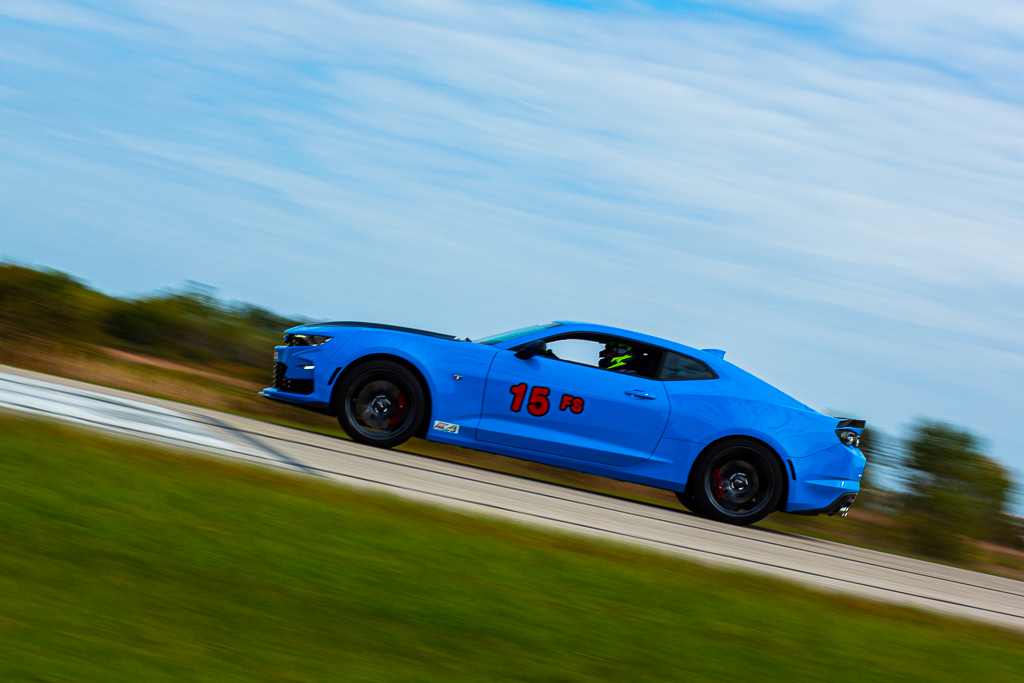
I was in search of the epic car shot. I have tried may times to capture the right amount of motion blur while keeping the car in focus. Presented to me was the perfect opportunity, an SCCA autocross event just miles from home. Shot on my Canon 5D Mark III, this would also be a good place to test out my new 85mm f1.8 Canon lens. These were basic panning shots, where I was standing still and pivoting to follow the motion of the cars. Each location would have different speeds, so after picking a location, it was important to reevaluate the speed of the shot. So, after I picked my location, next step is dialing in the settings on the camera.
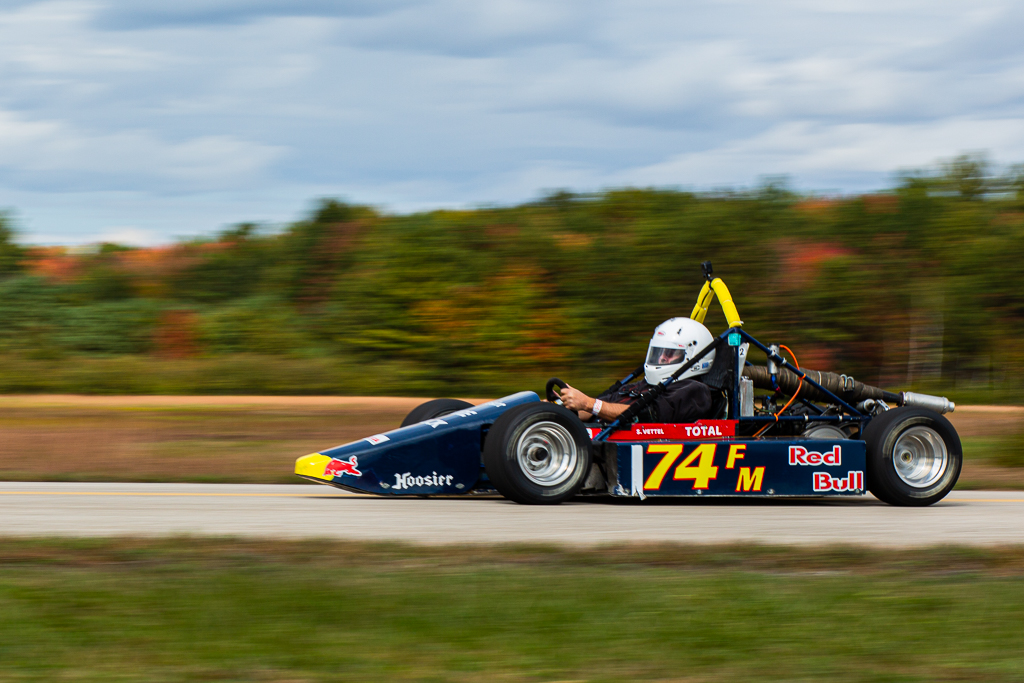
I set the autofocus to continuous focus mode, allowing me to capture moving objects. This is AI Servo AF on Canon. Then, I set the shutter drive mode to multi-shot, high. I wanted to snap 3-6 shots as the cars went by. This should allow me a couple optional shots to choose from in editing. Next, I set the camera to shutter speed priority, ‘TV’ on the Canon dial. Since I wanted to capture moving objects, controlling the shutter speed is critical. I allow the camera to select the f-stop and allow the evaluative metering to do its job. I shoot in RAW so I can pull out details later if needed.

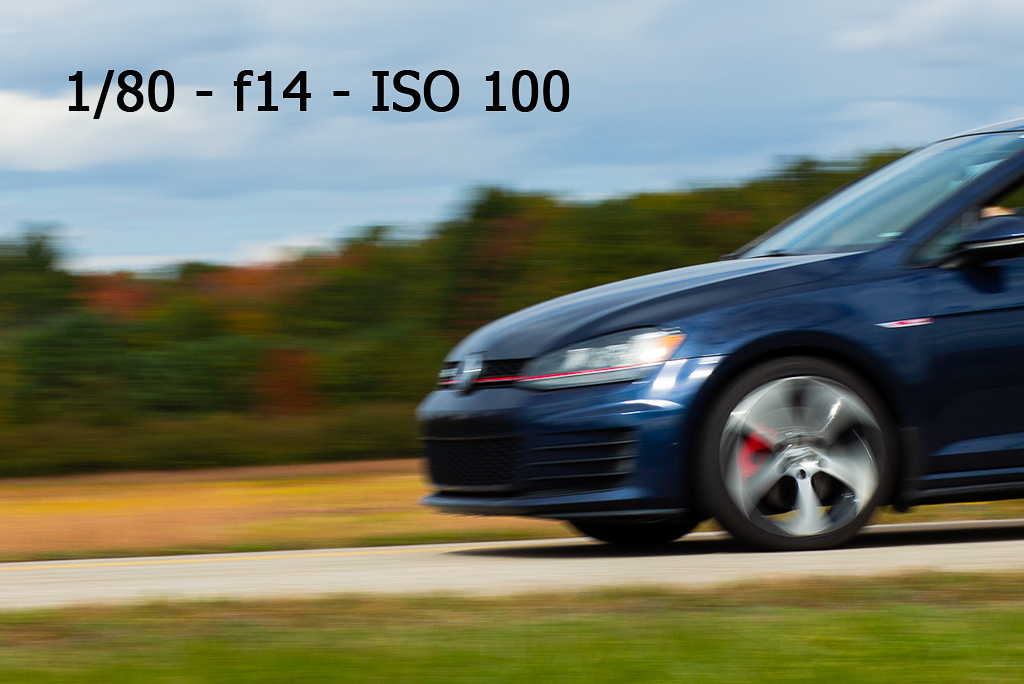
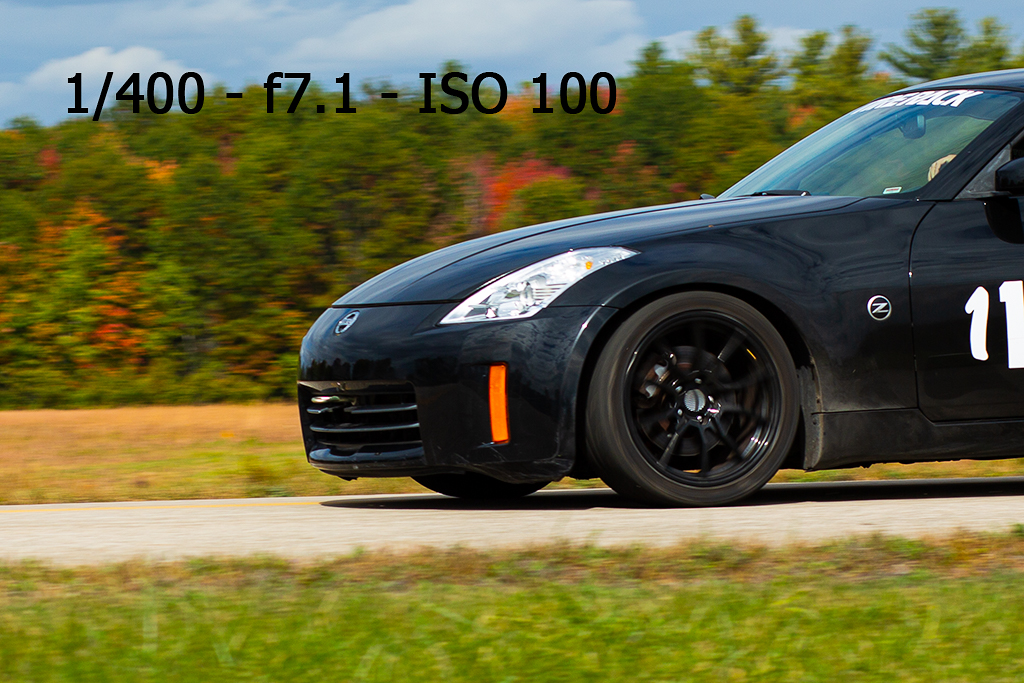
Finally, I needed to dial in the desired shutter speed. I started at the lowest I feel comfortable shooting at without a tripod, which is 1/60th of a second. As the cars went by, I would fire off a few shots, and check them on the display. I zoomed into each shot and scrutinized the focus points on each. Taking a few shots for each shutter speed allowed me to judge if the out of focus areas were a one-off or was it the settings. I moved the speed up until the cars looked like they were stopped on the track. This was my max speed, and I didn’t want to go any higher that that. I slid the speed down to the area that gave me the desired look. I found the 1/100-1/200th of a second shutter speed range worked nicely for this location.
Once the shutter speed was dialed in, I was able to snap away.

 Geoff Burr Studio